
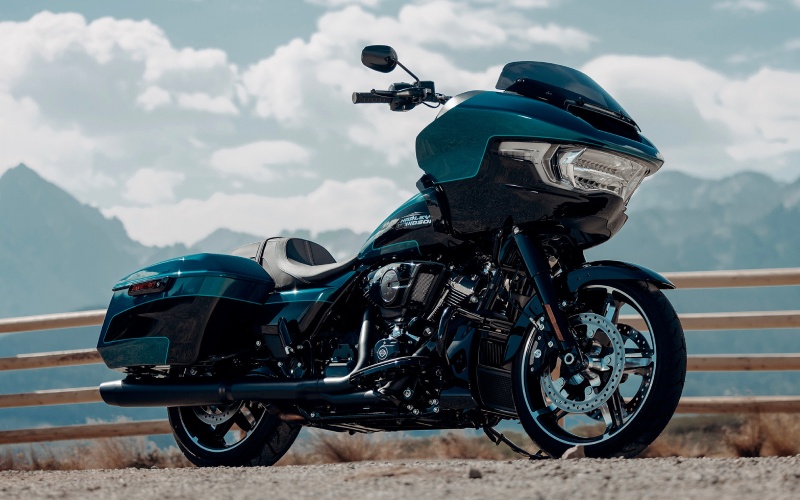
Liberty Harley-Davidson® - How Apple CarPlay on the 2026 Harley-Davidson® Road Glide® makes commuting easier in Newark, NJ
Apple CarPlay integration on the 2026 Harley-Davidson® Road Glide® does more than mirror your phone—it translates everyday commute needs into a safer, cleaner cockpit experience powered by the Skyline™ OS 12.3-inch TFT display. For Newark, NJ riders navigating I-78, Route 21, or the Garden State Parkway, the combination of clear mapping, voice guidance, and streamlined audio controls helps you keep attention where it belongs—on the traffic around you.
Because CarPlay works wirelessly or via USB, pairing becomes a quick routine. Once connected, core functions—turn-by-turn navigation, calls, messages (with voice), and media—are right in the line of sight, so you are not fumbling with a handlebar mount or squinting at a phone screen. It is all about reducing multitasking friction and giving you a predictable control scheme every single day.
Why CarPlay Feels Built for Metro Rides
Skyline™ OS anchors the experience with a large, legible 12.3-inch full-color TFT that resists glare better than a phone screen perched in bright sun. Integrated handlebar controls and voice support (for applicable languages) minimize the need to reach. And because the Road Glide® routes audio through two 5.25-inch fairing speakers with a 50-watt-per-channel amp, directions and calls come through clearly even at highway speeds.
For Newark-area commuters, the practical upside is time and mental bandwidth saved—less swiping and tapping, more scanning of mirrors, merges, and braking zones. The system is there every morning at startup, and it remembers your last inputs, so there is no relearning curve in the thick of traffic.
Daily Use Scenarios That Matter
- Lane guidance and alternate routing: When congestion hits the Turnpike or the Pulaski Skyway, CarPlay’s map apps can suggest workable detours without you diving into your phone.
- Voice-first messaging: Quick replies happen by voice, so hands stay on the controls and eyes on the road.
- Media control simplicity: Whether it is a news brief on a short hop or a long playlist on a turnpike stretch, audio is one click or voice command away.
- Persistent navigation context: The large TFT keeps next-turn info easy to read, reducing glance time and guesswork.
These are small wins that add up; the less you divide attention, the more consistent and confident your riding feels across bridges, toll plazas, and dense downtown corridors.
How It Works With Rider Safety Enhancements
Rider Safety Enhancements are designed to support traction when accelerating, braking, or slowing, and variants with cornering awareness take lean angle into account. Apple CarPlay complements that by reducing distraction—better information at a glance means you can take advantage of ABS, ELB, TCS, DSCS, VHC, and TPMS without being heads-down. Think of Skyline™ OS and CarPlay as the planning layer, with safety tech as the execution layer when conditions change unexpectedly.
It is not a substitute for judgment, of course; it is a way to streamline the routine inputs so your bandwidth is available for what matters most—traffic flow, braking zones, and surface changes.
Setup Tips For a Smooth Commute
Getting CarPlay dialed in takes only a few minutes and pays off every day you ride to work from the Ironbound to the Office District or out toward the airport corridors.
- Pair once, verify permissions: Enable CarPlay and Bluetooth on your phone, then confirm prompts for contacts, messages, and mapping apps.
- Choose your nav app: Stick with one primary app so prompts, lane guidance, and favorites become second nature.
- Organize your CarPlay home screen: Keep maps, calls, and music on the first screen; move nonessentials off the front row.
- Set audio levels in Skyline™ OS: Balance nav prompts and media volume so directions do not get drowned out.
Once configured, you will spend less time poking through menus and more time flowing with traffic as conditions evolve.
Frequently Asked Questions:
Do I have to plug in my phone for Apple CarPlay on the Road Glide®?
No. The system supports Apple CarPlay wirelessly or via USB. A wired connection can charge your phone while you ride, while wireless pairing keeps the setup cable-free.
Can I make and receive calls through the bike’s speakers?
Yes. With Bluetooth pairing and Apple CarPlay active, calls route through the fairing speakers. You can also use a compatible headset for more private audio and voice prompts.
What if I prefer not to use CarPlay—does Skyline™ OS still provide navigation?
Skyline™ OS is a full-feature infotainment system with integrated functions. Apple CarPlay adds familiar app interfaces, but the TFT and OS still provide vehicle info, audio control, and system settings even without CarPlay.
Is voice control available for messaging?
Yes. With Apple CarPlay, you can use compatible voice features for messages. Skyline™ OS also supports voice recognition for select languages, helping reduce manual inputs.
For a steady, low-friction commute, it is hard to beat the combination of Skyline™ OS and Apple CarPlay on the 2026 Road Glide®. If you are splitting your week between Downtown Newark and the suburbs—or hopping over to meetings in Elizabeth or Edison—this tech stack keeps navigation and communication predictable and clear. Liberty Harley-Davidson® is serving Newark, Elizabeth, and Edison with knowledgeable support on pairing, setup, and ergonomic fine-tuning so your cockpit works seamlessly day after day.
If you would like a deeper dive into how this system can be tailored to your routes and routines, our team will walk through pairing steps, discuss audio options, and share practical tips for keeping eyes up and attention forward—so your Road Glide® becomes the most dependable part of your daily plan.